Sewzy
A sewing machine that keeps eating fabric, jamming or breaking thread is almost always telling you about one of five things: the top thread is not seated in the tension, the needle is dull, bent or wrong for the fabric, there is lint around the bobbin, the bobbin is wound or inserted wrongly, or the fabric is being pulled. Rethread with the presser foot up, fit a new needle and clean out the lint, and most problems go away.
TL;DR
- Rethread the top thread with the presser foot up. The lifter opens the tension so the thread can seat.
- Change the needle. A dull, bent or wrong needle is behind many jams, skipped stitches, breaks and snagged fabric.
- Check the bobbin. Insert it the way your manual shows, and wind it evenly.
- Clean the lint from under the needle plate and around the bobbin area.
- Let the machine feed the fabric. Guide it, but do not pull or push.
Sew the Scrunchie from this guide, step by step, in the Sewzy app
Pick your size, print it from your phone, and follow every step with a sewing coach beside you.


What you see, what causes it, and the fix
| What you see | Likely cause | Fix |
|---|---|---|
| Fabric is pulled down into the needle plate at the start of a seam | Thread tails not held, or the top thread is not seated | Hold both tails behind the foot for the first stitches, and rethread with the foot up |
| A tangle of thread under the fabric | Top thread not in the tension or the take-up lever | Cut the tangle out and rethread. See thread bunching under fabric |
| The needle keeps breaking | A bent needle, a needle too fine for thick fabric, pulling the fabric, or hitting a pin | Fit a new needle that suits the fabric, remove pins before you reach them, and let the feed do the work |
| The thread keeps breaking | Old or weak thread, a threading slip, or a damaged needle | Try fresh thread, rethread with the foot up and fit a new needle |
| The stitches skip | A dull or wrong needle for the fabric | New needle of the right type. See how to fix skipped stitches |
| The machine jams or makes a grinding noise | Lint or a thread end caught around the bobbin | Switch off, remove the bobbin and clean the area |
| The needle thread loops on top or bottom | A tension or threading problem | Rethread, check the bobbin and change one setting at a time |
| Thin fabric is dragged into the hole | The fabric is not supported at the start, or a wide hole in the needle plate | Start on a scrap leader, hold the thread tails, and use a straight stitch needle plate if your machine has one |
A step-by-step reset
If you are not sure what is wrong, do this in order. Most of the time one of these steps solves it. Check your manual for where things sit on your machine.
- Stop and switch off. Lift the presser foot and cut any tangled thread free with small scissors. Do not yank the fabric out, because that can bend the needle or damage the machine.
- Take out the needle and the bobbin. Look at the needle. If the tip is bent or blunt, or if it has any burr, throw it away.
- Clean the lint. Use a small brush to clear the bobbin area, under the needle plate and around the feed dogs. Lint packs in over time and causes jams.
- Fit a new needle. Choose the type and size for your fabric and push it all the way up, with the flat side the way your manual shows. The needle and thread guide has a chart. A common rule of thumb is a new needle at the start of each project.
- Rethread the top thread with the presser foot up. Raise the needle to its highest point, then follow the thread path in your manual, making sure the thread passes through the take-up lever. Our guide on how to thread a sewing machine goes through it step by step.
- Reset the bobbin. Wind it evenly, put it in the right way round and bring the lower thread up through the plate.
- Check the tension last. If the dial has been turned, return it to the mark your manual gives as normal. Then change it a little at a time, and only one setting at once.
- Test on a scrap. Use the same fabric and thread, lay both tails back under the foot, lower the foot and sew a few inches before you start your project.
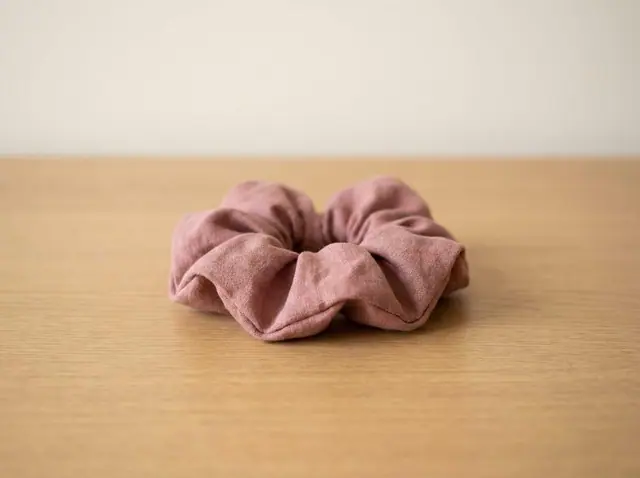
A small project makes a good test. The free Scrunchie uses scraps and takes about 15 minutes.
Good habits that prevent jams
- Always lower the presser foot before you sew.
- Start about ¼ inch in from the edge, holding the thread tails for the first few stitches.
- Match the needle to the fabric: a ballpoint for knits, a universal for most wovens, a stronger needle for denim and canvas.
- Change the needle, brush out the lint and use fresh thread before a big project.
- Slow down over thick seams.
When it is not you
If the problem stays after a new needle, a full rethread, a clean bobbin area and a test on a scrap, it may be a mechanical issue, such as timing or a damaged part. Stop sewing and ask a repair shop or your machine's maker. This guide gives general advice and does not replace your manual.
If you are stuck in the middle of a project, the Sewzy app for iPhone has an AI sewing coach you can ask while you sew.
 How to topstitch: a beginner's guide to straight lines6 min read
 How to sew with minky without the mess (beginner guide)7 min read