Sewzy
Sewzy
A PDF sewing pattern is a sewing pattern saved as a digital file instead of a paper envelope. You print it yourself, on ordinary paper at home or on one large sheet at a copy shop, then cut out the pieces in your size and sew. A home printer prints the pattern on many small pages, so you tape those pages together first.
TL;DR
- Print at 100%, also called Actual size. Never choose Fit to page. Measure the test square with a ruler before you print the rest.
- A home printer prints small pages called tiles. Tape them together in the order shown on the tile map, then cut along the line for your size.
- A copy shop can print the whole pattern on one large sheet, so there is nothing to tape.
- You can get PDF patterns from independent designers, pattern shops and sewing apps. Some are free.
What is a PDF sewing pattern?
PDF stands for Portable Document Format, a file type that keeps every page exactly as the designer laid it out. A PDF sewing pattern holds what a paper pattern holds: the pattern pieces drawn at full size, the instructions, a size chart and a list of what to buy. You may also see it called a digital pattern or a print-at-home pattern.
The difference is how it reaches you: a paper pattern is printed for you, while a PDF is a download you print yourself. You can start the same day, and print a page again if it goes wrong.
What does a PDF sewing pattern look like?
On a screen, a PDF pattern looks like a short document with a few pages of text and many pages of large shapes. Most have these parts:
- An information page: the pattern name, the sizes, the fabric and the other things you need.
- A test square: a square of a stated size, such as 1 inch or 10 cm. You measure it after printing to check the scale.
- A size chart: body measurements for each size, so you can choose yours.
- A tile map: a small diagram showing how many pages go across, how many go down and in what order they join.
- The pattern pages: the pieces drawn at full size and split across pages, called tiles. Each tile has a label and marks on its edges that line up with the next tile.
- Instructions and a cutting layout: what to cut, how many of each and how to place the pieces on your fabric.
On the pattern pages you will see a cutting line, a grainline arrow (it shows which way to lay the piece on the fabric), notches that help you match pieces and sometimes a fold line. When a pattern has several sizes, either each size has its own line on the same pages or each size has its own file. Check the first page to see which. Our guide to reading a sewing pattern explains each symbol.
How do PDF sewing patterns work?
You print the pattern, join the pages, cut your size and then sew as usual. Here are the steps in order.
- Open the file in a PDF reader, such as Adobe Acrobat Reader. Some browser previews change the scale without telling you.
- Print the test square page first. In the print window, choose 100%, which may be called Actual size or No scaling. Never choose Fit to page.
- Measure the test square with a ruler. If it matches the size printed beside it, the scale is right. If not, fix the print settings and print that page again.
- Print the other pages with the same settings. Keep them in order.
- Lay the pages out on a big flat surface, following the tile map. Match each tile by its label and by the marks on its edges.
- Trim the page margins if the instructions say to. Line up the printed lines, then tape the pages together, one row at a time.
- Cut along the line for your size to free each piece.
- Pin the pieces to your fabric, cut them out and sew, following the instructions.
Pick your size from the size chart before you cut, and before you print if the pattern gives each size its own file. Go by your own measurements, not your shop size: our guide to what size sewing pattern you need shows how. For more on each printing step, and what to do when something goes wrong, read how to print PDF sewing patterns at home.
How is a PDF pattern different from a paper pattern?
The sewing is the same. What changes is how you get the pattern and what you do before you cut.
| Compare | PDF pattern | Paper pattern |
|---|---|---|
| How you get it | Download the file and print it | Buy it in a shop or have it mailed to you |
| What you need | A printer, paper and tape, or a copy shop | Nothing extra |
| Before you cut | Print and tape the pages | Cut the pieces out of the pattern sheet |
| Paper | Plain printer paper | Usually thin tissue paper |
| If you want another copy | Print it again | Trace it first, or buy it again |
Neither one is better. A PDF suits you if you want the pattern today and want to use it more than once. A paper pattern suits you if you do not have a printer or do not want to tape pages.
Should I print a PDF pattern at home or at a copy shop?
At home, you print on plain paper. Most patterns are set up for US letter paper, which is 8½ by 11 inches, or for A4 paper, the usual size outside North America. Check which one yours uses. A home printer cannot print a big sheet, so the pattern comes out as many tiles that you tape together.
At a copy shop, you print the whole pattern on one large sheet. This needs a file made for it, often called an A0 file. A0 is about 33 by 47 inches (84 by 119 cm), big enough for most patterns with no tiles. Copy shops with a large-format printer can print it, so ask before you go. Send the file by email or bring it on a USB drive, ask for 100% scale and measure the test square when you collect it.
Home printing costs only paper, ink and tape. A copy shop charges for the print, but it saves you the taping, so it suits big garment patterns.
Where can I find PDF sewing patterns?
You can find them in a few places:
- Independent pattern designers, who sell and give away patterns on their own websites.
- Online pattern shops and marketplaces that list many designers in one place.
- The large pattern companies, many of which also sell digital versions.
- Sewing apps that keep patterns together in one place, such as Sewzy. See our round-up of sewing apps.
Before you download, check that your size is included, which paper size the pages use and whether there is a copy shop file. Many designers also give away one free pattern, which is a safe way to try printing and taping before you pay for a bigger one.
Make it with Sewzy
Sewzy is an iPhone app with 76 sewing patterns, and every pattern comes as a PDF you print yourself. Each pattern includes all of its sizes. You choose your size, then print the US letter-size PDF at home (there is no A4 version) or take the A0 file to a copy shop. A written step-by-step guide takes you through the sewing, a size finder tells you which size to cut and an AI sewing coach answers questions while you sew.
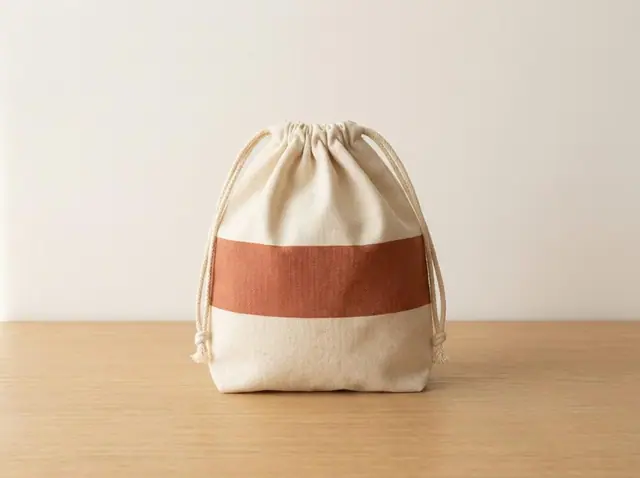
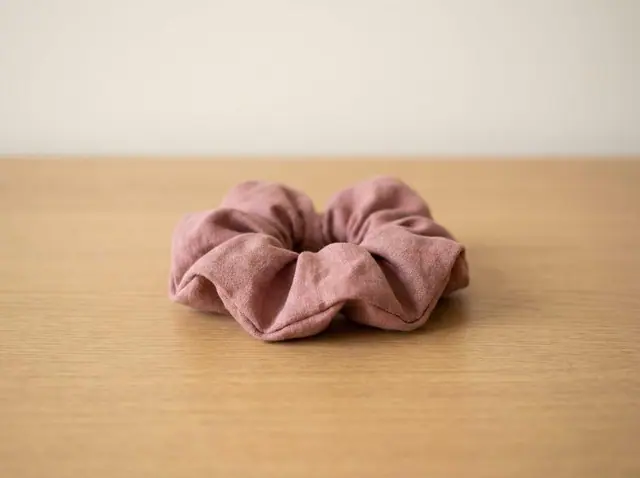
13 of the patterns are free. You can get their PDFs in the app, and you can also download them on each pattern's page on this site by entering your email. See all 13 free sewing patterns or browse all 76 patterns. A good first PDF is a small project: try the free Scrunchie with our scrunchie guide (about 15 minutes) or the Drawstring Bag (about 30 minutes).
Premium opens all 76 patterns for $3.99 a week or $29.99 a year, with a 3-day free trial. Sewzy is made for iPhone. Get Sewzy on the App Store.
FAQ
What does PDF mean on a sewing pattern?
PDF stands for Portable Document Format. On a sewing pattern it means the pattern is a digital file that you print yourself, instead of a paper pattern that is sold or mailed to you.
How do you use a PDF sewing pattern?
Print the test square page at 100% and check it with a ruler. Print the other pages, tape them together in the order shown on the tile map, cut along the line for your size, then pin the pieces to your fabric and sew.
Do I have to tape a PDF pattern together?
Yes, if you print at home. A home printer prints small pages, so you tape them into one large sheet. You do not have to tape if the pattern has a copy shop file, because a copy shop can print the whole pattern on one large sheet.
Can I print a PDF sewing pattern at a copy shop?
Yes, if the pattern has a copy shop file, often called an A0 file. Send it by email or bring it on a USB drive, ask for 100% scale and measure the test square with a ruler when you collect it.
Are there free PDF sewing patterns?
Yes. Many designers offer a free pattern, and Sewzy has 13 free patterns. You can get their PDFs in the app, or download them from each pattern's page on sewzy.app by entering your email.
 What size sewing pattern do I need?6 min read
 Thanksgiving porch goose outfits: turkey, harvest and scarecrow looks to sew5 min read